Quick Guide: Turn on AML Reminder Warnings in your System
Written by Martina Winters

Introduction:
Anti-money laundering documents are only valid for a specific period and then they need to be renewed on an on-going basis. The Law Society recommend a risk-based approach. For example, higher-risk clients may require more frequent reviews and enhanced due diligence.
To assist with on-going monitoring and compliance, an option to set an AML Reminder Warning has been added to the system. This is controlled by the system administrator.
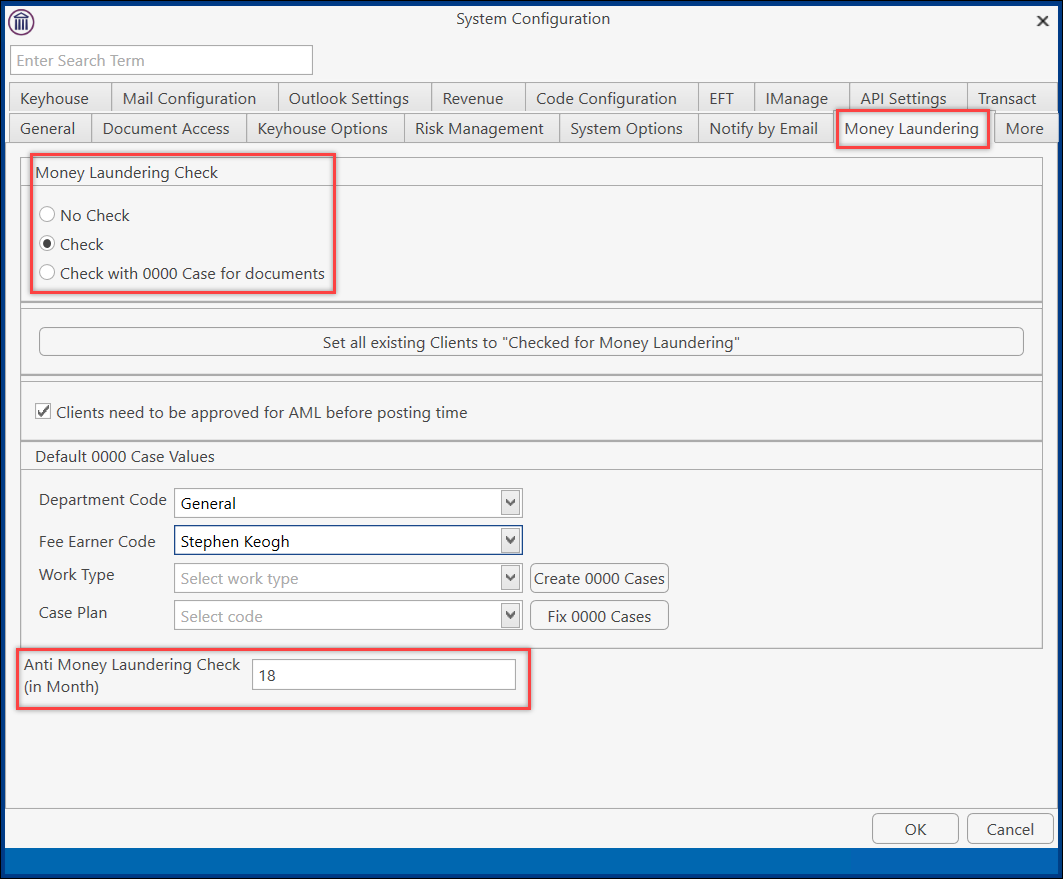
- Click on Settings, select Administration and then System Options.

- Click to the Money Laundering tab.
- Set the Anti-Money Laundering check to the required number of months, usually between 12 and 18, but this is dependent on the assessed risk of the client and the nature of the transactions. And then click OK.
- Users will have to log out for this warning to take effect.
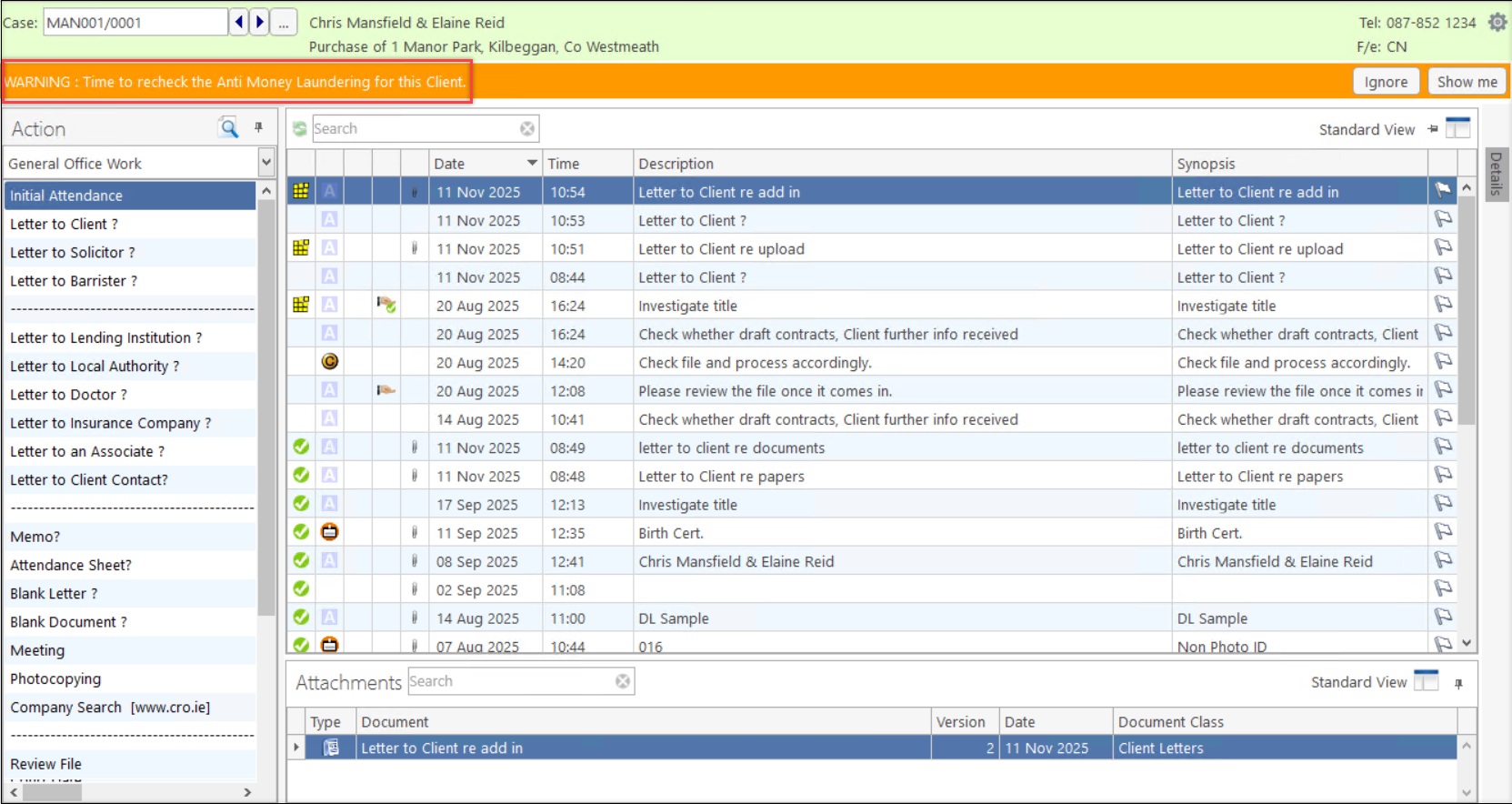
- Open a case where the AML was approved on a date greater than the allowed time frame.
- A warning will appear on the matter.