
Requesting files securely from clients or external parties: Step-by-Step
Written by Martina Winters
Introduction:
This new feature from Keyhouse is designed for cloud users and allows you to request files securely from clients, doctors, engineers, or anyone else you need files from.
Clients who use it find it very helpful requesting AML Documentation from clients.
You can for example ask a client to take a photo of their Driving Licence and upload it to the link. It will then automatically upload to the file’s Document Manager.
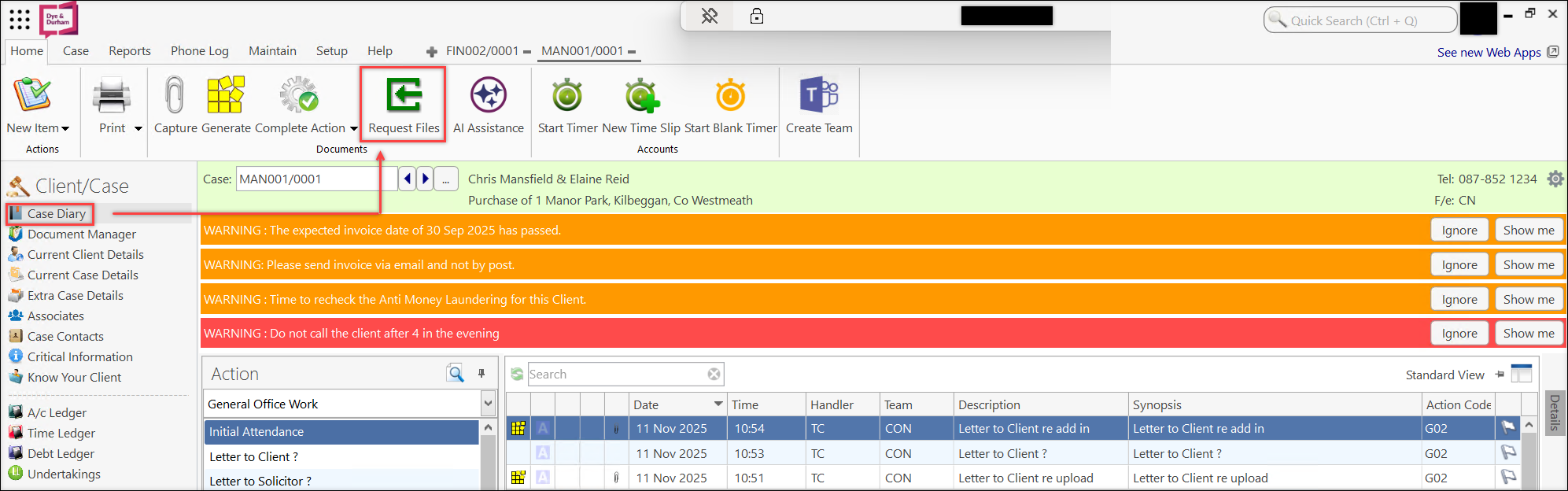
- To send the request file link, go to Case Diary and then click on Request Files.
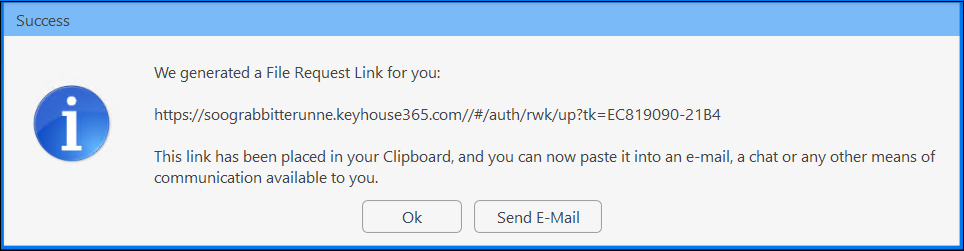
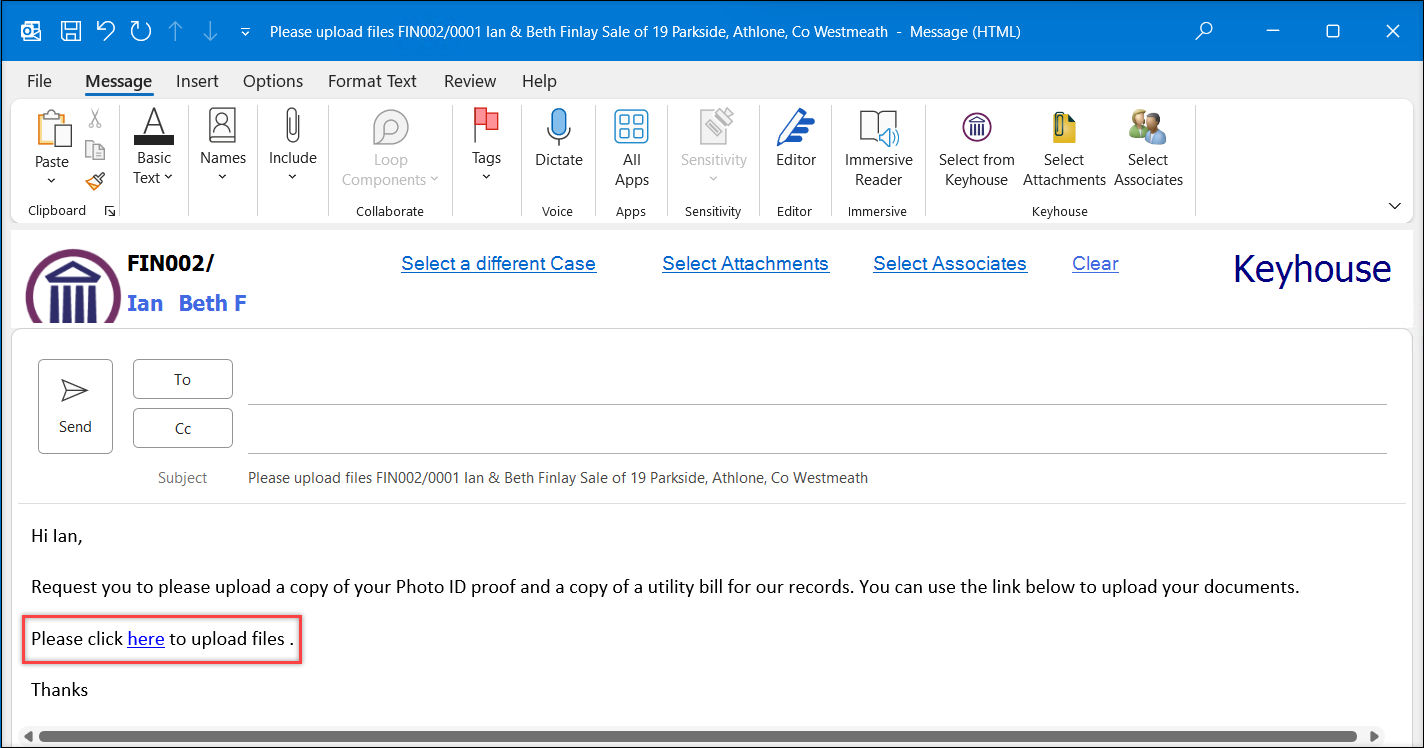
- A pop-up window appears to confirm that the link has been generated, allowing users to either copy the link into an existing email or send it directly via Outlook.
- When the client clicks on the link, they will be directed to a page that prompts them to upload their files. They can also enter a Subject Line and rename the documents if desired. After selecting the documents, they just need to click on Upload to submit the files into Keyhouse.
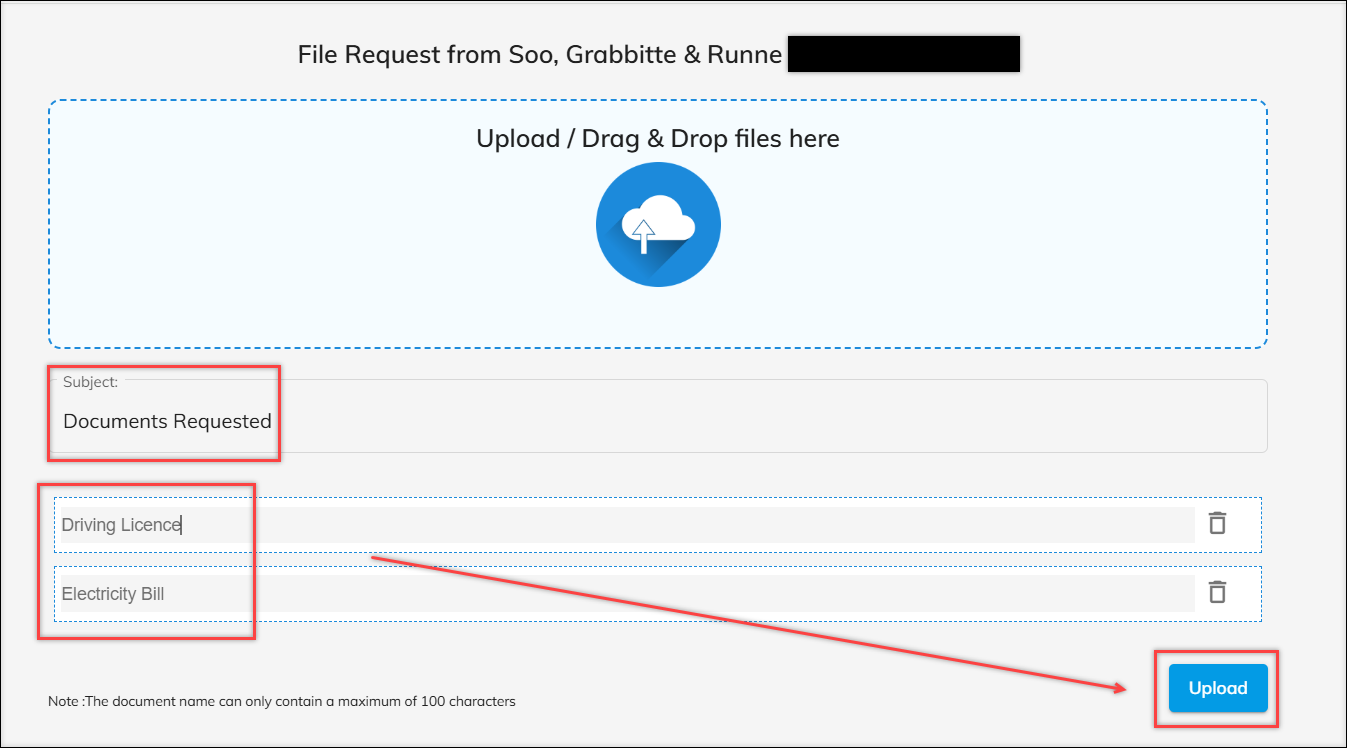
- After the client uploads the documents, the user will receive a confirmation email indicating that the documents have been successfully uploaded
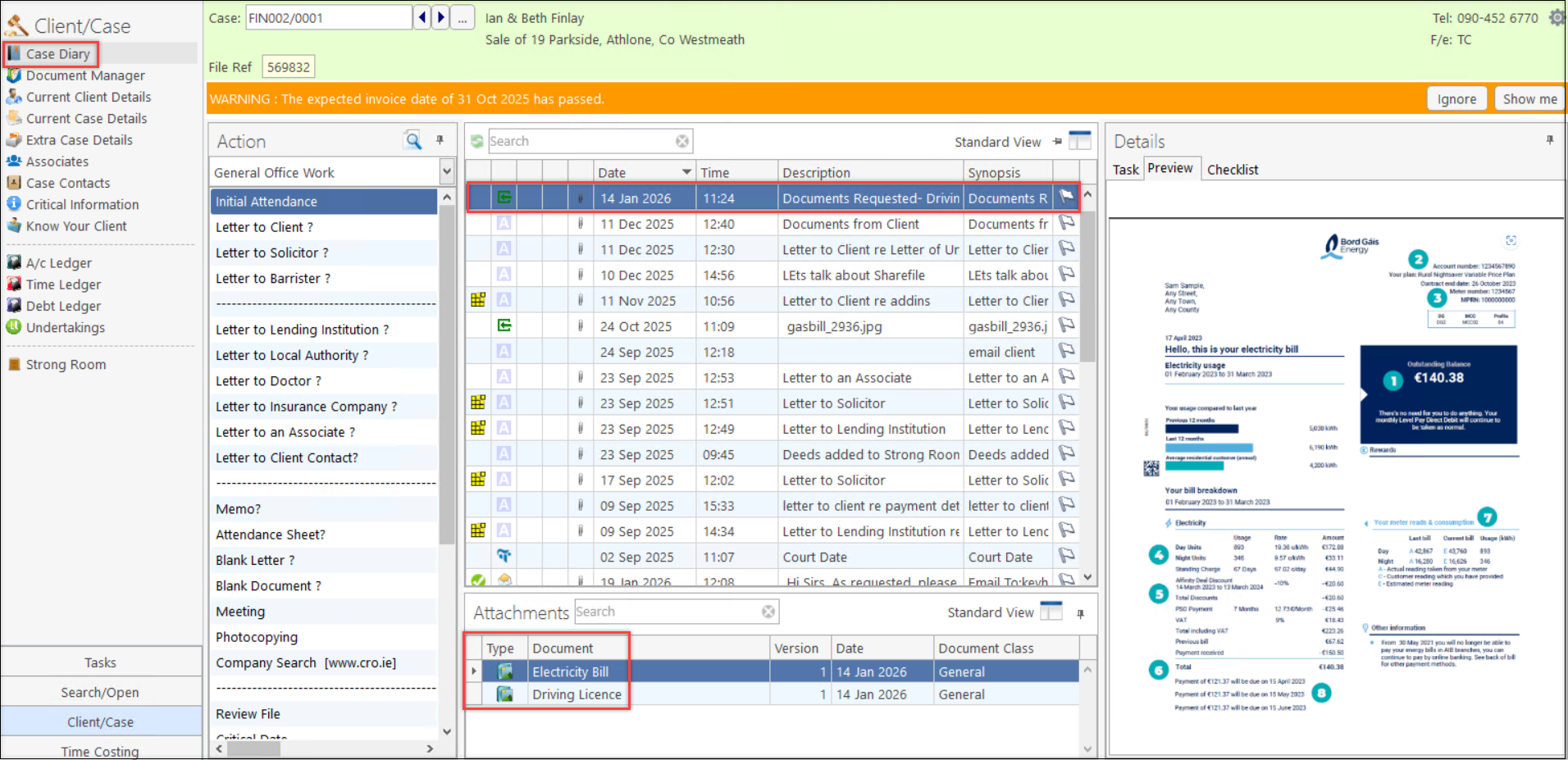
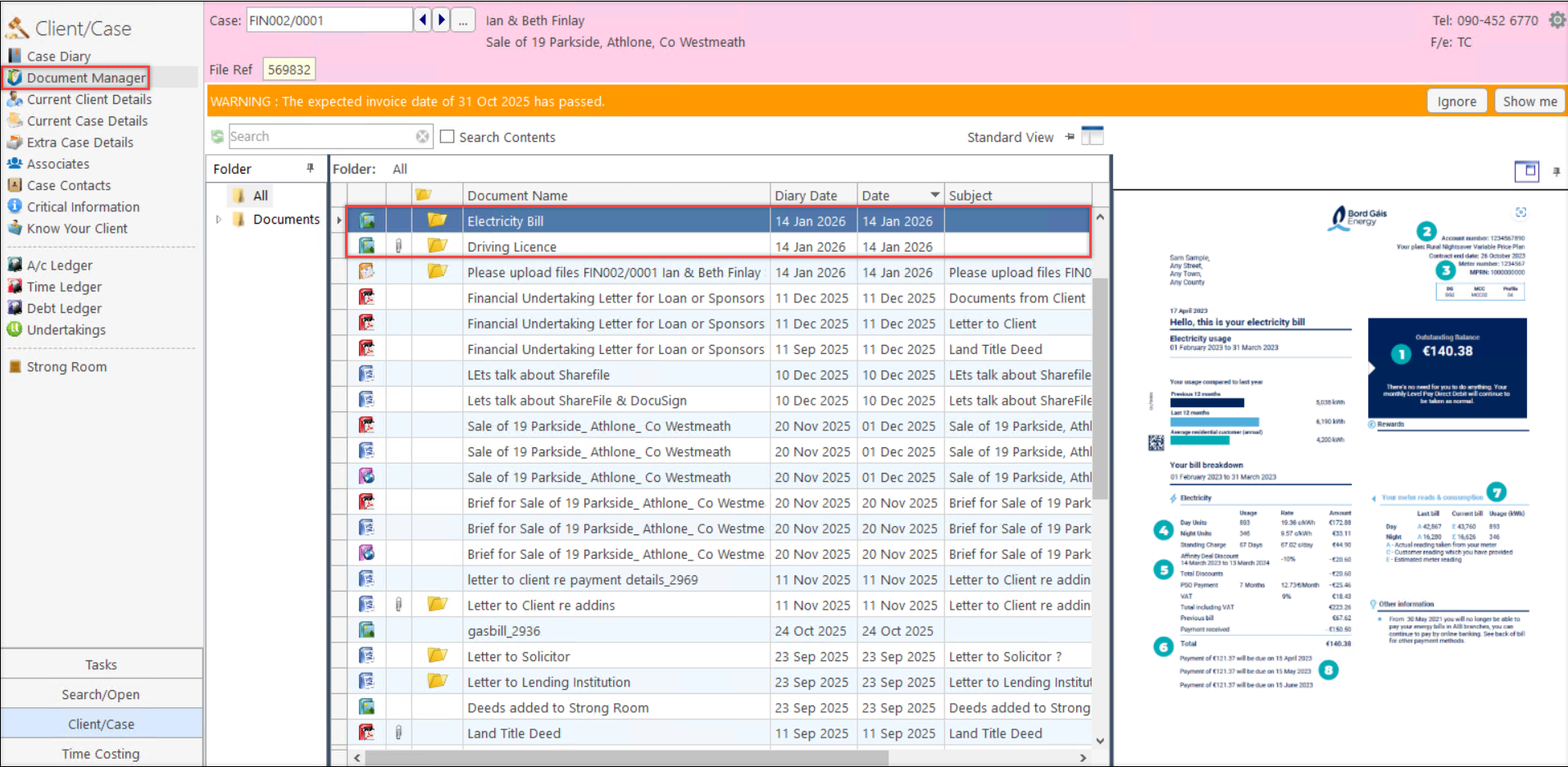
- One will also be able to see the uploaded documents in Case Diary and in Document Manager.
Back to Insights